

Everything you need to know, all in one place. Get the latest announcements and the first look at our most recent features and releases.
A new section within Adviser FactFinds allows advisers to formally capture Environmental, Social and Governance (ESG) preferences, supporting rationale and client‑specific requirements. This enhancement provides a structured way to record responsible investing needs and supports suitability discussions and reporting.
Address entry has been modernised across 360 Office, Adviser, User Settings and Trustee Maintenance. Autocomplete search now appears instantly as you type, reducing manual keying, improving data quality and delivering a more consistent experience across the platform.
360 now passes a unique client identifier for each client, ensuring every individual is recognised within the system and eligible for ongoing monitoring. This supports clearer oversight, more consistent client tracking and improved alignment with monitoring requirements.
Key actions and validation messages now remain visible while scrolling, making it easier to navigate and complete larger FactFinds. This enhancement supports faster completion, clearer issue resolution and a smoother adviser workflow.
Most enhancements will be available automatically following the release. However, the new Responsible & Sustainable Investing section is disabled by default and must be enabled within Advisor FactFind configuration before it becomes available to advisers.
No. Existing FactFind configurations will continue to operate as they do today. The Responsible & Sustainable Investing section has been designed as an optional enhancement, allowing firms to adopt it when they are ready.
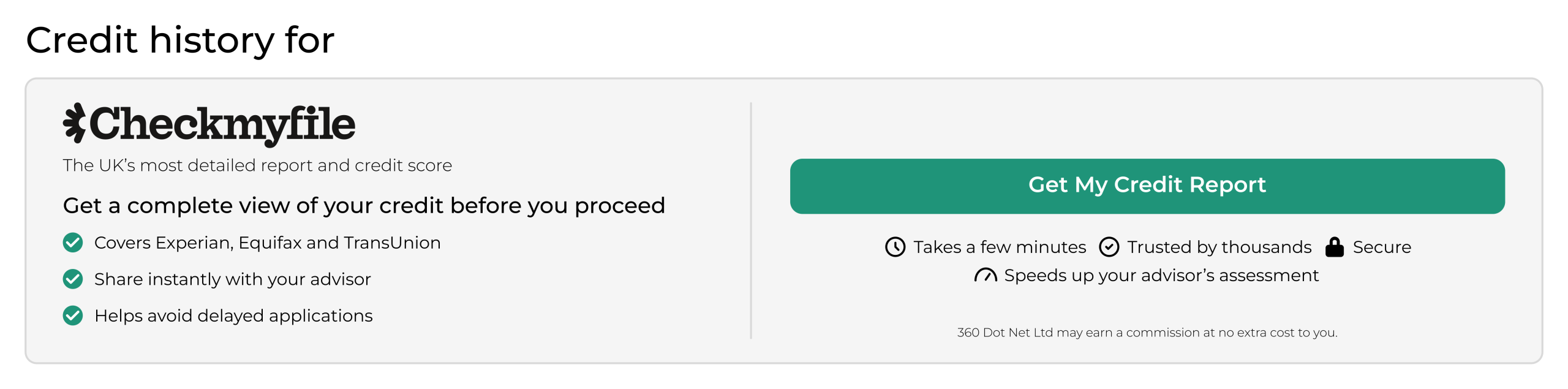
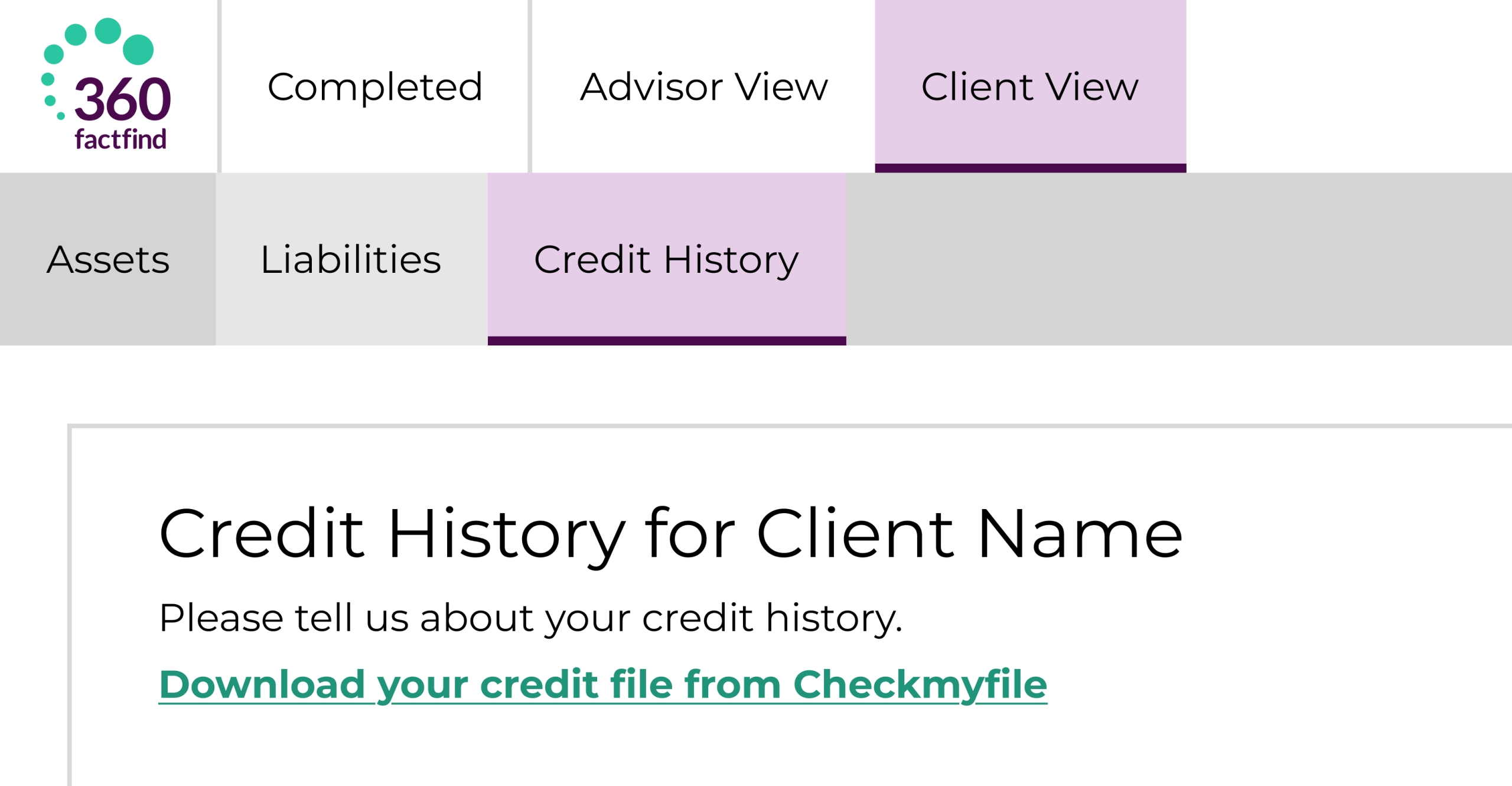
Yes. Clients will see an enhanced Checkmyfile experience within the Client FactFind, designed to make it easier to understand the benefits of obtaining a credit report and accessing the service from any device.
No. Checkmyfile remains entirely optional for both advisers and clients. The new functionality is designed to encourage engagement and improve the quality of information available during the advice process, without interrupting FactFind completion.
The enhancement helps advisers capture and evidence client preferences in a clear and consistent way. It supports suitability discussions, improves record keeping, and makes it easier to include this information within recommendation reports.
Yes. Address lookup has been streamlined to make address entry faster and more intuitive. Users can now begin searching directly from the address field while still retaining the ability to manually enter or amend address details if required.
No. These enhancements are designed to improve future adviser and client journeys. Existing cases and historical records remain unaffected. The GBG monitoring improvement, for example, only applies to new activity after the release.
Reports produced in grid view now display item counts when grouped, making it easier to see how many items fall within each group.
Campaign Manager alerts advisers of duplicate email addresses or mobile numbers within email and SMS campaigns, helping advisers maintain cleaner, more accurate distribution lists.
Workflow configuration includes a lock preventing multiple users from editing at the same time. If another user has the page open, the message will say the page is locked by another user and it displays their name and shows the date and time they have been on the page since. This prevents users from updating or trying to create two workflow configurations at the same time which causes issues.
Add your firm’s logo via the brand maintenance section in 360 Office to display your branding within the FactFind.
The ‘Create New Case’ button now stays locked until all mandatory data is entered, ensuring 100% complete submissions.
Required names now auto-populate to save you time and eliminate blank fields.
Collapsible menus, updated search controls, and 'smart-scroll' which returns you to the top of the page after deletions.
New hover-to-reveal text for long names and updated button colours for better clarity.
We've streamlined margins and updated fields, dropdowns, buttons, date pickers for better page flow.
Fields with errors are highlighted more clearly for quicker resolution, supported by updated validation controls.
Section and subsection headers, as well as sticky notes, have been updated for a cleaner appearance, improving your focus.
FactFind navigation headers have been revamped: 'Sale Data' is now 'Recommendation', and a fourth header, 'FactFind Tools', has been added.
It is now displayed on the FactFind header at the top of the page, alongside other common actions like ‘Convert FactFind’ and ‘Download PDF’.
360 Lifecycle: The NEW modern interface walkthrough – click on the ‘V’ logo to watch this video in full screen
360 Lifecycle: Configurable client FactFind update – click on the ‘V’ logo to watch this video in full screen
Reports produced in grid view now display item counts when grouped, making it easier to see how many items fall within each group.
Campaign Manager alerts advisers of duplicate email addresses or mobile numbers within email and SMS campaigns, helping advisers maintain cleaner, more accurate distribution lists.
Workflow configuration includes a lock preventing multiple users from editing at the same time. If another user has the page open, the message will say the page is locked by another user and it displays their name and shows the date and time they have been on the page since. This prevents users from updating or trying to create two workflow configurations at the same time which causes issues.
Add your firm’s logo via the brand maintenance section in 360 Office to display your branding within the FactFind.
The ‘Create New Case’ button now stays locked until all mandatory data is entered, ensuring 100% complete submissions.
Required names now auto-populate to save you time and eliminate blank fields.
Collapsible menus, updated search controls, and 'smart-scroll' which returns you to the top of the page after deletions.
New hover-to-reveal text for long names and updated button colours for better clarity.
We've streamlined margins and updated fields, dropdowns, buttons, date pickers for better page flow.
Fields with errors are highlighted more clearly for quicker resolution, supported by updated validation controls.
Section and subsection headers, as well as sticky notes, have been updated for a cleaner appearance, improving your focus.
FactFind navigation headers have been revamped: 'Sale Data' is now 'Recommendation', and a fourth header, 'FactFind Tools', has been added.
It is now displayed on the FactFind header at the top of the page, alongside other common actions like ‘Convert FactFind’ and ‘Download PDF’.
360 Lifecycle: The NEW modern interface walkthrough – click on the ‘V’ logo to watch this video in full screen
360 Lifecycle: Configurable client FactFind update – click on the ‘V’ logo to watch this video in full screen

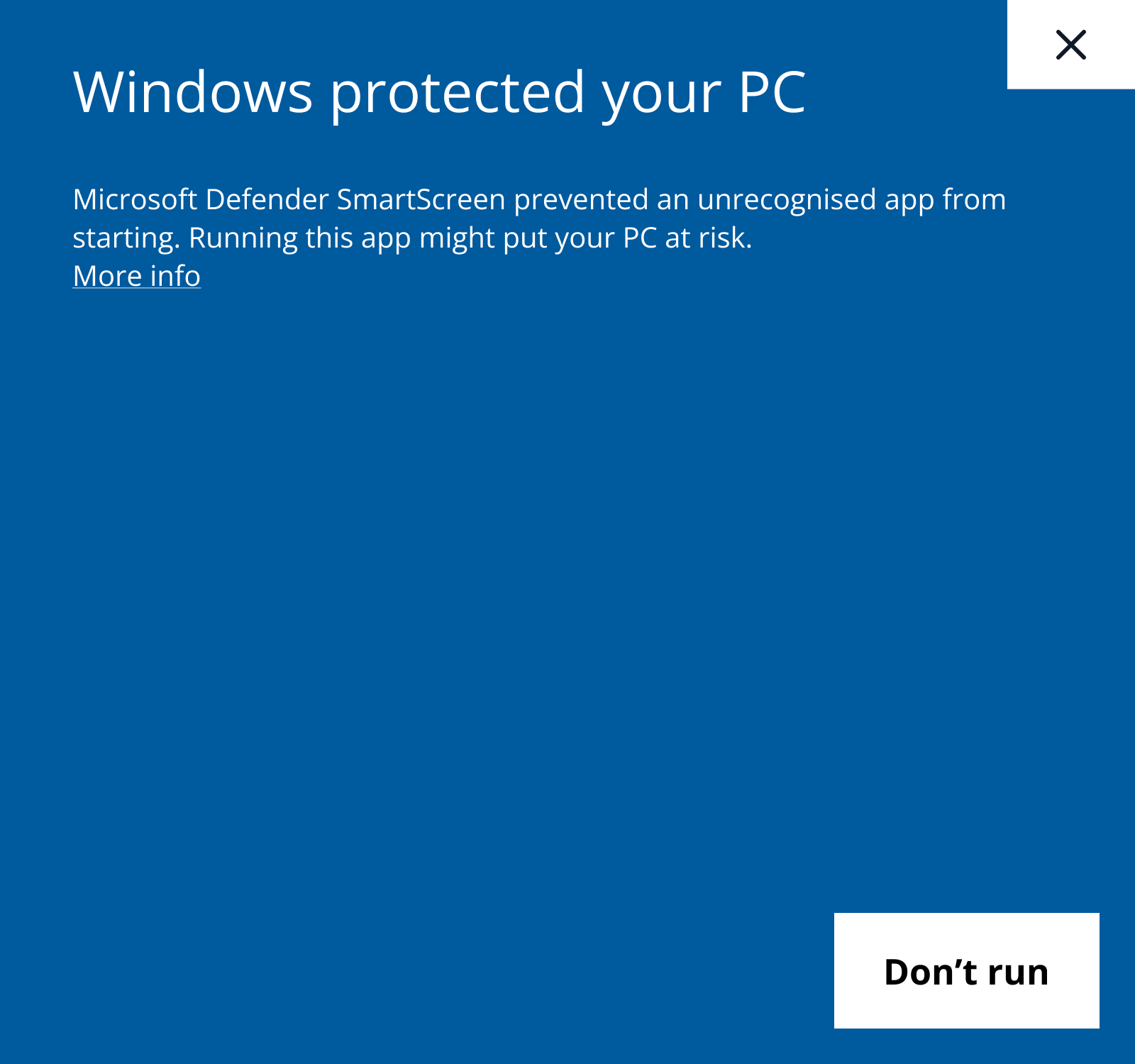
When there is an update if you open a 360 Lifecycle application, your PC will try and prevent the update. Once you see the screen above, simply click 'More info' where you will be presented with screen 2.

When the screen above is displayed click 'Run anyway'. This allows the update to take place and then you can continue to use 360 Lifecycle. If you do not have 'Run anyway' you will need to contact your local IT team.